 Bigger
 Free resources › Video sizes
Social Video Sizes & Safe Zones (2026 Cheat Sheet)
The size to export, and how far captions, titles and faces should stay from each edge so the app's buttons and text don't cover them.
Video size and aspect ratio
| Platform | Aspect ratio | Export size | Notes |
|---|---|---|---|
| TikTok | 9:16 vertical | 1080 × 1920 | 2160 × 3840 also works; it's shown at 1080p on most phones. |
| Instagram Reels | 9:16 vertical | 1080 × 1920 | The grid shows a 3:4 crop of the cover, so keep the subject centered. |
| YouTube Shorts | 9:16 vertical | 1080 × 1920 | Square videos also count as Shorts, but vertical fills the screen. |
| Facebook Reels | 9:16 vertical | 1080 × 1920 | Same file as Instagram works. |
| Instagram / Facebook feed | 4:5 vertical | 1080 × 1350 | Takes more of the feed than square. |
| YouTube (long videos) | 16:9 horizontal | 1920 × 1080 or 3840 × 2160 | 4K uploads get better quality after YouTube's compression. |
Platforms change their limits on length and file size often, so check the upload screen for the current maximum.
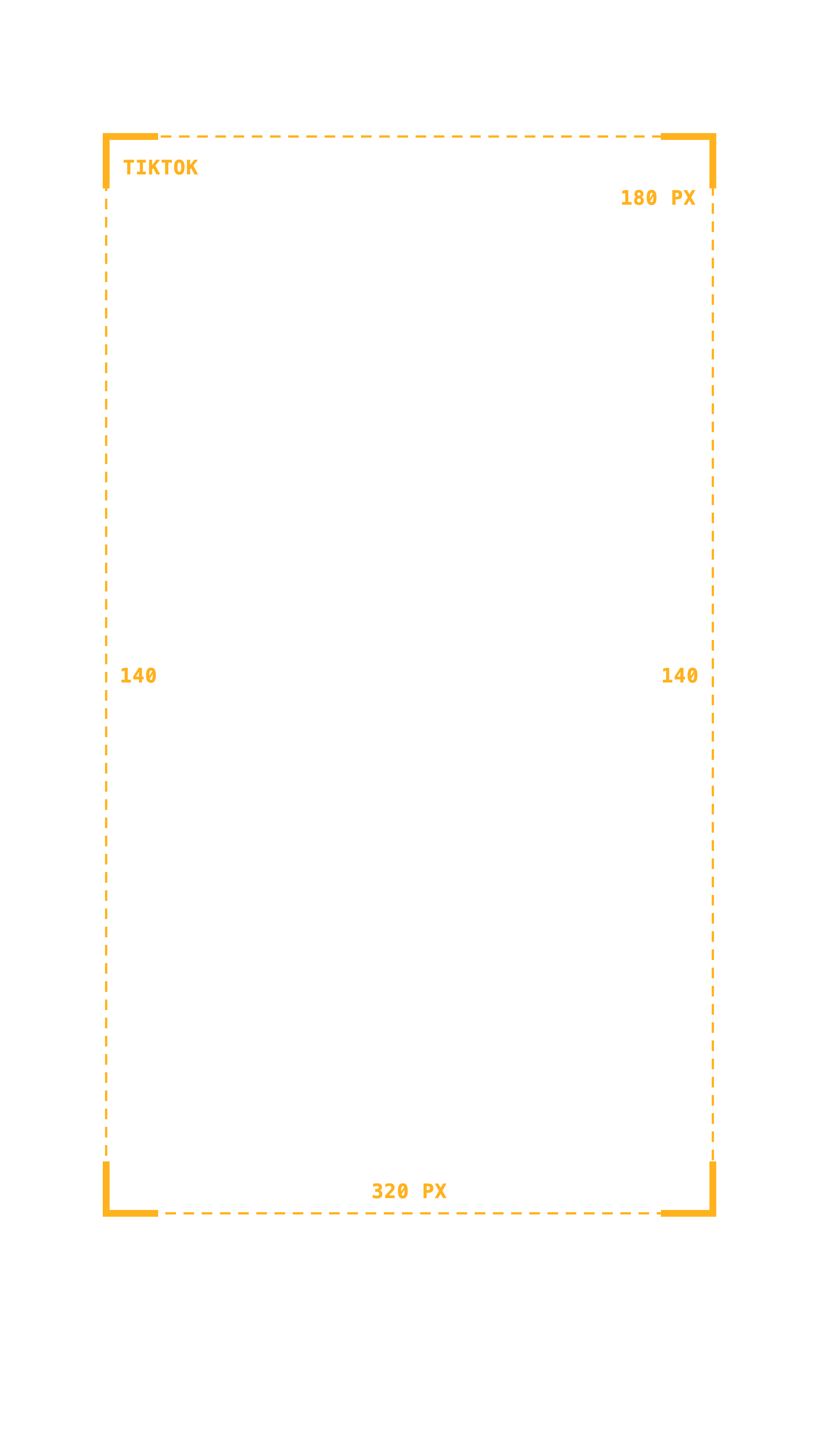
Caption safe zones (pixels on a 1080 × 1920 video)
Keep captions and important text inside these margins. Outside them, the username, description, buttons and progress bar can cover your text.
| Platform | Top | Bottom | Left & right |
|---|---|---|---|
| TikTok | 180 px | 320 px | 140 px |
| Instagram Reels | 210 px | 370 px | 120 px |
| YouTube Shorts | 170 px | 440 px | 160 px |
| Facebook Reels | 220 px | 420 px | 120 px |
| Meta ads (Reels & Stories) | 270 px | 670 px | 120 px |
| One safe zone for all | 220 px | 440 px | 160 px |
On a 2160 × 3840 timeline, double every number. Posting the same video everywhere? Use the last row.
DaVinci Resolve timeline settings for vertical video
- File › Project Settings › Master Settings: Timeline resolution 1080 × 1920 (or Custom 2160 × 3840 for 4K vertical).
- Or per timeline: right-click the timeline › Timeline › Timeline Settings, uncheck "Use Project Settings" and set the vertical size.
- Deliver page: set the same resolution, H.264 or H.265, and the frame rate you shot in.
Captions that already respect the safe zone
Bigger Subs places animated word-by-word captions on your DaVinci Resolve timeline with margins for TikTok, Reels and Shorts built in. Free and Studio, Mac and Windows.
Try it free for 2 daysMore free stuff: free resources · 50 hooks for reels · free fonts for captions